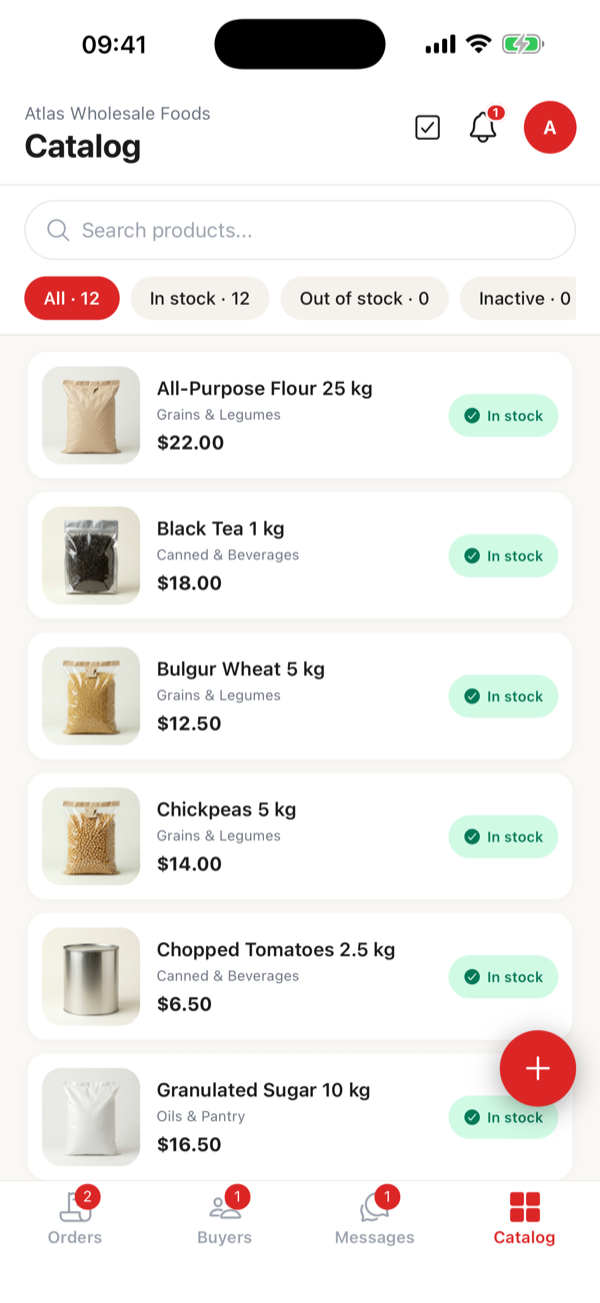
Your catalog, on one screen
Pick from the ready-made product pool or import your Excel as-is. You set stock and price; updating is one tap.
For wholesalers · B2B ordering app
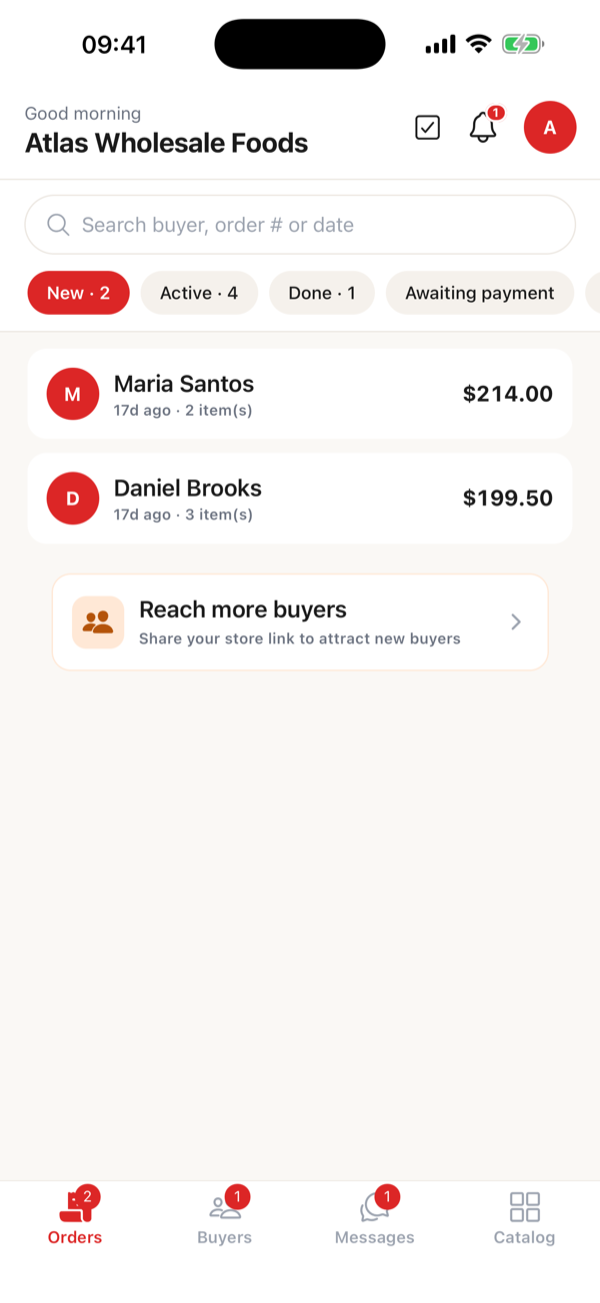
Your retailers place their own orders from your catalog; you just approve. The phone-and-WhatsApp chaos ends — every order lands on one screen.
Incoming orders on one screen — you approve, your retailer sees it live.
You update the status, your retailer sees it live — no more “where’s my order?” calls.
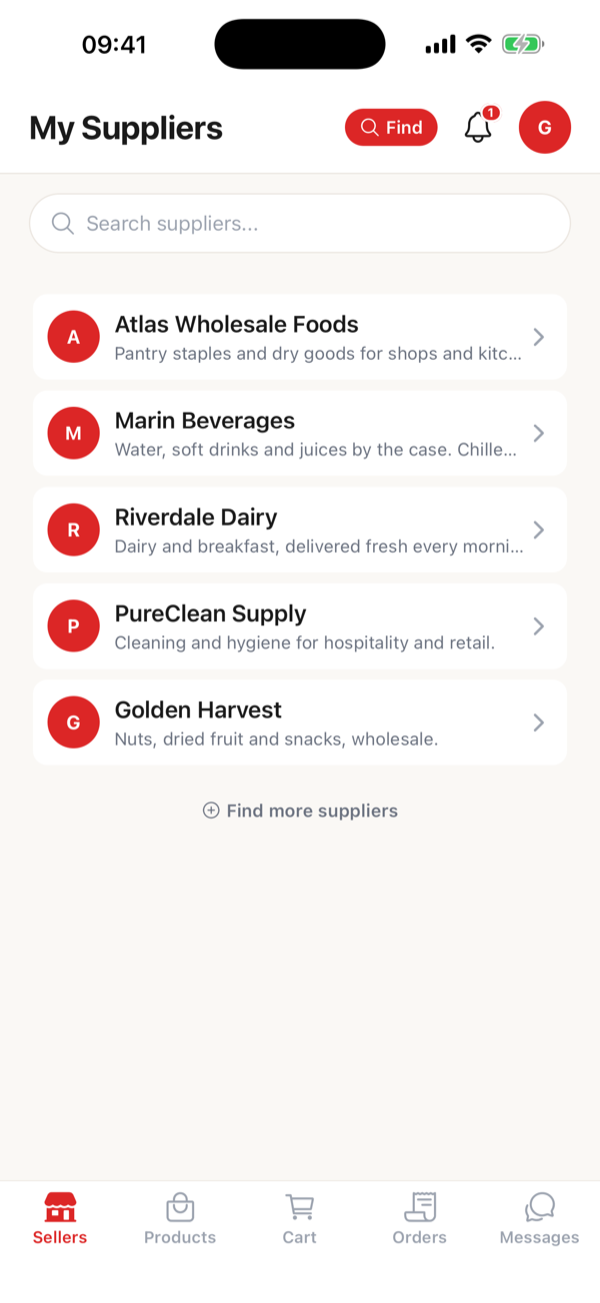
For your retailers
Your retailer installs Bayim once and manages you and every other wholesaler they buy from in the same app. The retailer side is completely free — no “another app?” objection. The rival “dealer portal” tools each make a wholesaler’s retailers install a separate app; here you don’t.
Catalog, order inbox and retailer management — in your pocket or on your computer.
Pick from the ready-made product pool or import your Excel as-is. You set stock and price; updating is one tap.
Every order lands line by line with its total. Approve, move it through preparing–shipped–done, mark payment. The phone traffic stops.
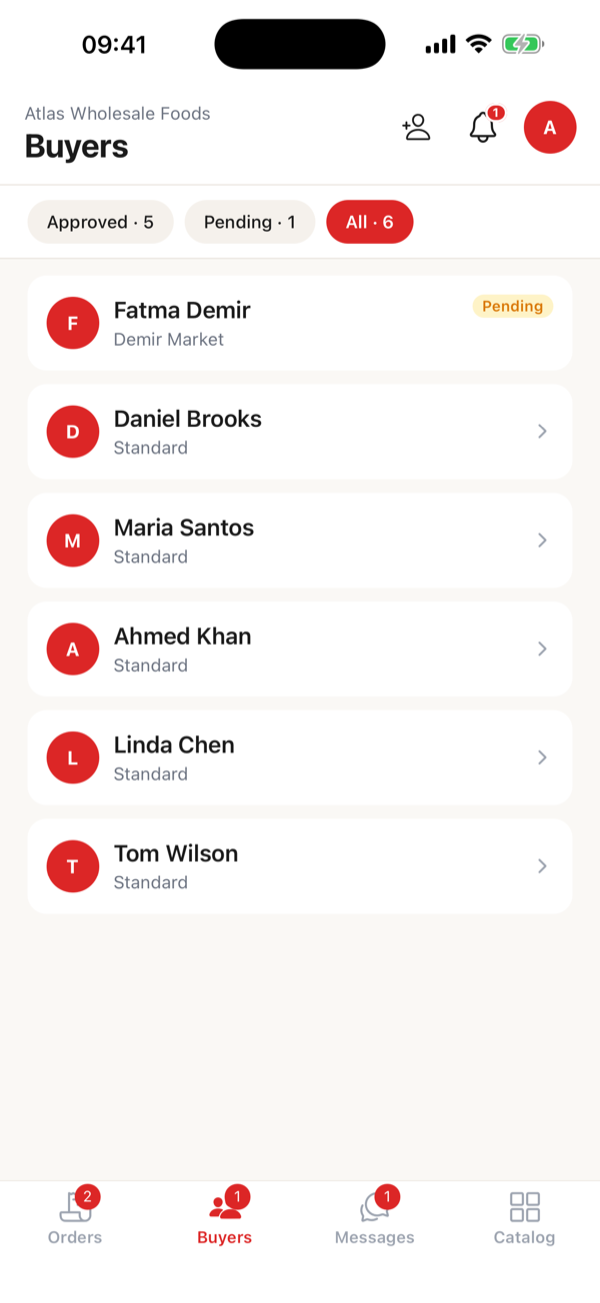
Approve or reject access requests. Group your retailers and give each group its own price list — everyone sees their own price.
From your computer or your phone. No ERP, no training, no implementation project.
Type the name, pick your sector. Takes a minute.
Pick from the ready-made product pool, or import your Excel as-is — match the columns and you’re done.
Send the invite link on WhatsApp. Your retailer installs, you approve, and orders start landing.
No implementation project, no sales call — set it up today, use it today.
Free for up to 5 customers
$3.33
Always free for your retailers.
Billed through the App Store / Google Play; you’ll see the current local price on the plan screen in the app.
Still have a question? support@bayim.app
Your retailer installs the Bayim app — the retailer side is completely free. Once you approve them, they see your catalog with their own price list and place orders themselves. You approve; both of you see the status live.
No. You choose your store’s visibility mode; in the strictest mode the catalog and prices are only visible to buyers you’ve approved. You can also define separate price lists per buyer group.
That’s exactly who Bayim is built for. No ERP, no integration, no implementation project. Opening a store, loading a catalog and inviting retailers takes most wholesalers about 5 minutes.
Free for up to 5 customers — no card, no time limit. For more, plans from $3.33 (try any paid plan free for 14 days). Always free for your retailers.
Yes. Import your .xlsx as-is and match the columns; you can update with the same file later. You can also start by picking from the ready-made product pool.
The only thing that changes for them is where they write the order: a catalog instead of WhatsApp. Setup from your invite link takes a minute, the app is free for them, and they see their price and order status clearly. Retailers can also order from the web if they prefer.
You cancel anytime through the App Store or Google Play and keep access until the end of the period. Your data stays; if you delete your account, your personal data is permanently erased within 30 days.
Free for up to 5 customers — no card.